MFC Comments Free
Turn native WordPress comments into a practical review, rating, and content-management system while continuing to store comments in wp_comments. Your theme, SEO plugins, and the native WordPress admin remain compatible.
What Problem Does It Solve?
Native WordPress comments work well for simple conversations, but product reviews, service feedback, and community content usually need ratings, image uploads, centralized moderation, analytics, and visual customization. MFC Comments Free brings those essentials together in one plugin:
- Front-end fields for name, email, phone, star rating, review content, and image uploads.
- AJAX submission, Load More pagination, threaded replies, long-comment folding, and image previews.
- Configurable comment length, submission cooldown, hourly IP limits, and moderation rules.
- Centralized searching, filtering, moderation, editing, trash management, and CSV export.
- Rating distribution, comment trends, pending counts, and attachment statistics.
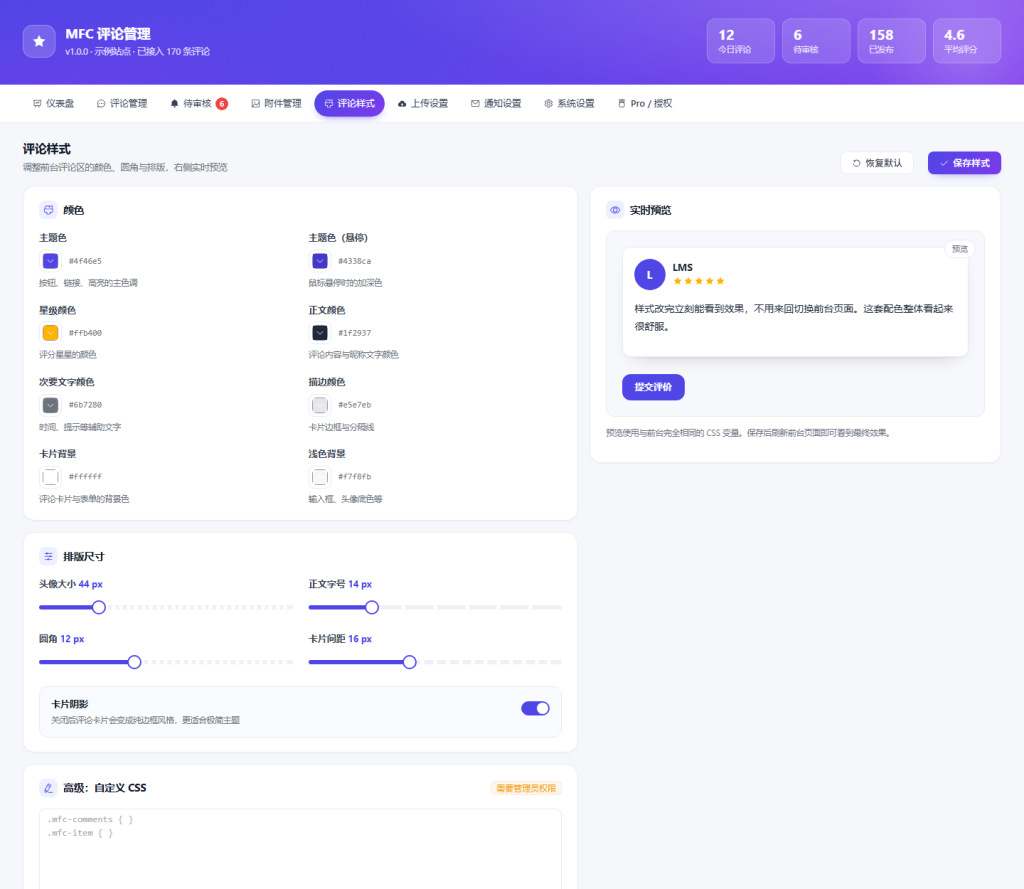
- Visual controls for colors, typography, radius, and spacing, plus custom CSS.
- Comments remain in WordPress’ native comment table, so disabling the plugin does not lock away your data.
What Does It Look Like After Installation?
These three comparisons cover the most common workflows: understanding activity, managing reviews, and matching the comment area to your site.
1. From a Basic List to a Review Dashboard
Native comments provide a list. MFC Comments adds comment trends, rating distribution, moderation status, and attachment totals at a glance.
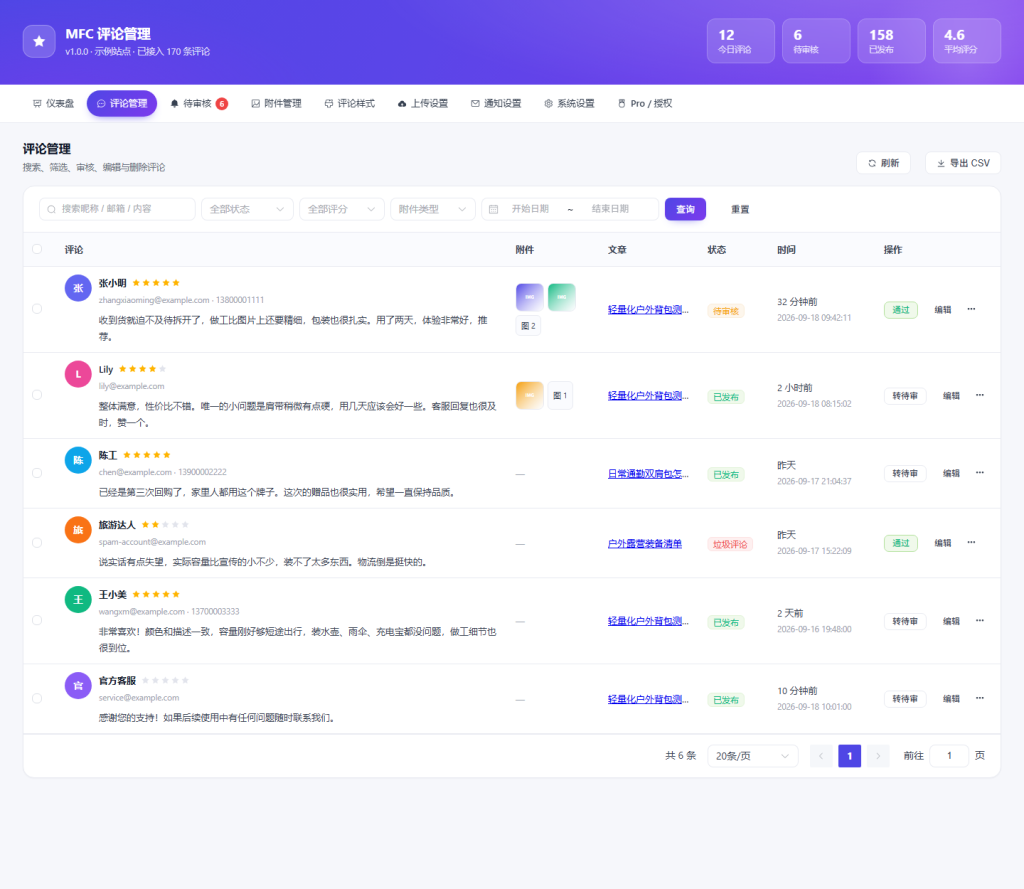
2. From Manual Browsing to Centralized Management
Filter by status, rating, attachment type, or date, then moderate, edit, move to Trash, or export reviews from one screen.
3. From Theme Code Changes to Visual Controls
Configure primary colors, star colors, text, borders, radius, and spacing with a live preview instead of editing theme files.
Who Is It For?
- Content, brand, and service websites that need star ratings and image reviews.
- Sites that want to keep theme compatibility and avoid locking comments into a proprietary table.
- Teams that need clearer moderation and analytics than native WordPress comments, but do not yet need video uploads, files, custom fields, or multi-channel notifications.
Installation and Usage
- Upload the
freedirectory towp-content/plugins/mfc-comments, or upload the Free package in WordPress Admin. - Activate MFC Comments.
- Add
[mfc_comments]to a post or page. You can also replace the theme’s comment area or append the MFC comment area automatically after post content. - Open MFC Comments in WordPress Admin to configure styles, upload limits, notifications, and system settings.
You can also use [mfc_comment_form], [mfc_comment_list], and [mfc_rating_summary] separately.
Requirements
- WordPress 6.0 or later
- PHP 7.4 or later
- HTTPS is recommended; GD is recommended for image processing, and
fileinfois recommended for real file-type validation
Install MFC Comments Pro on top of Free when you need custom fields, video and document uploads, chunked uploads, CAPTCHA integrations, multi-channel notifications, WooCommerce reviews, or CSV imports.
Based on 0 reviews
No reviews yet
Be the first to share your experience